The full platform
Every module, one platform.
Thirty-plus modules across nine suites take a document from raw file to autonomous-agent-ready knowledge. Every module works standalone or as part of an end-to-end pipeline — connect a source once and the whole platform goes to work.
Overview
2 modulesYour starting point — a welcome workspace and an executive scorecard that tells you, at a glance, how AI-ready your whole document estate is.
Home
An AI-powered welcome workspace. Ask questions about your corpus in plain language and jump into any module from a visual explorer.
- ✓Conversational AI welcome chat
- ✓Visual module explorer
- ✓Live LLM & source status
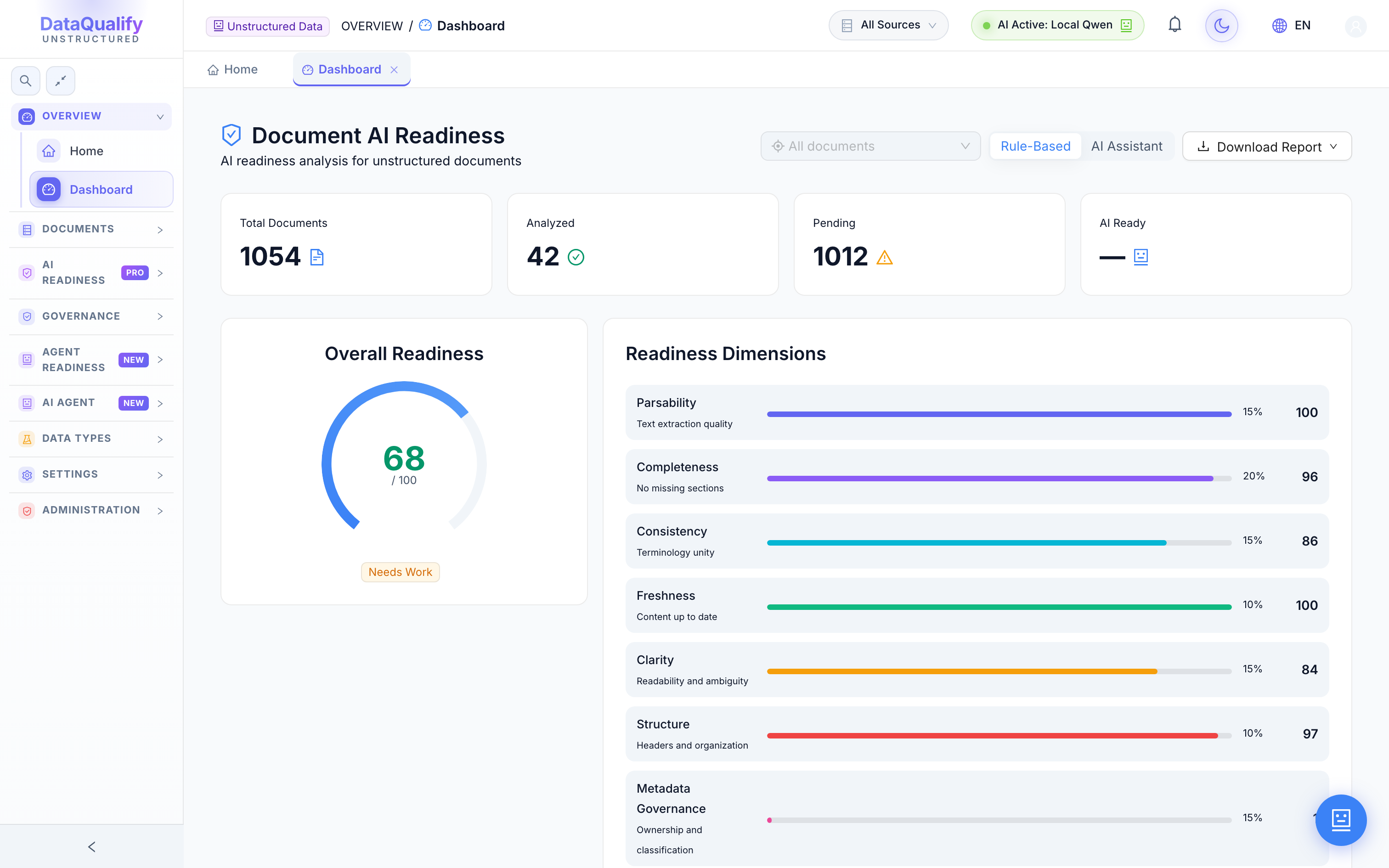
Readiness Dashboard
An executive scorecard of AI-readiness across the entire corpus, with trend charts and a heat-cell breakdown of every readiness dimension.
- ✓Overall readiness score 0–100
- ✓Seven dimension breakdown
- ✓Analyzed vs. pending counts
Documents
3 modulesConnect every document source, then browse, preview and search your whole corpus from one place — no matter where the files actually live.
Document Sources
Connect and continuously sync enterprise document sources and DMS platforms. Track document counts, sync status and health per connector.
- ✓SharePoint, S3, Drive, DMS & more
- ✓Scheduled continuous sync
- ✓Per-source counts & health
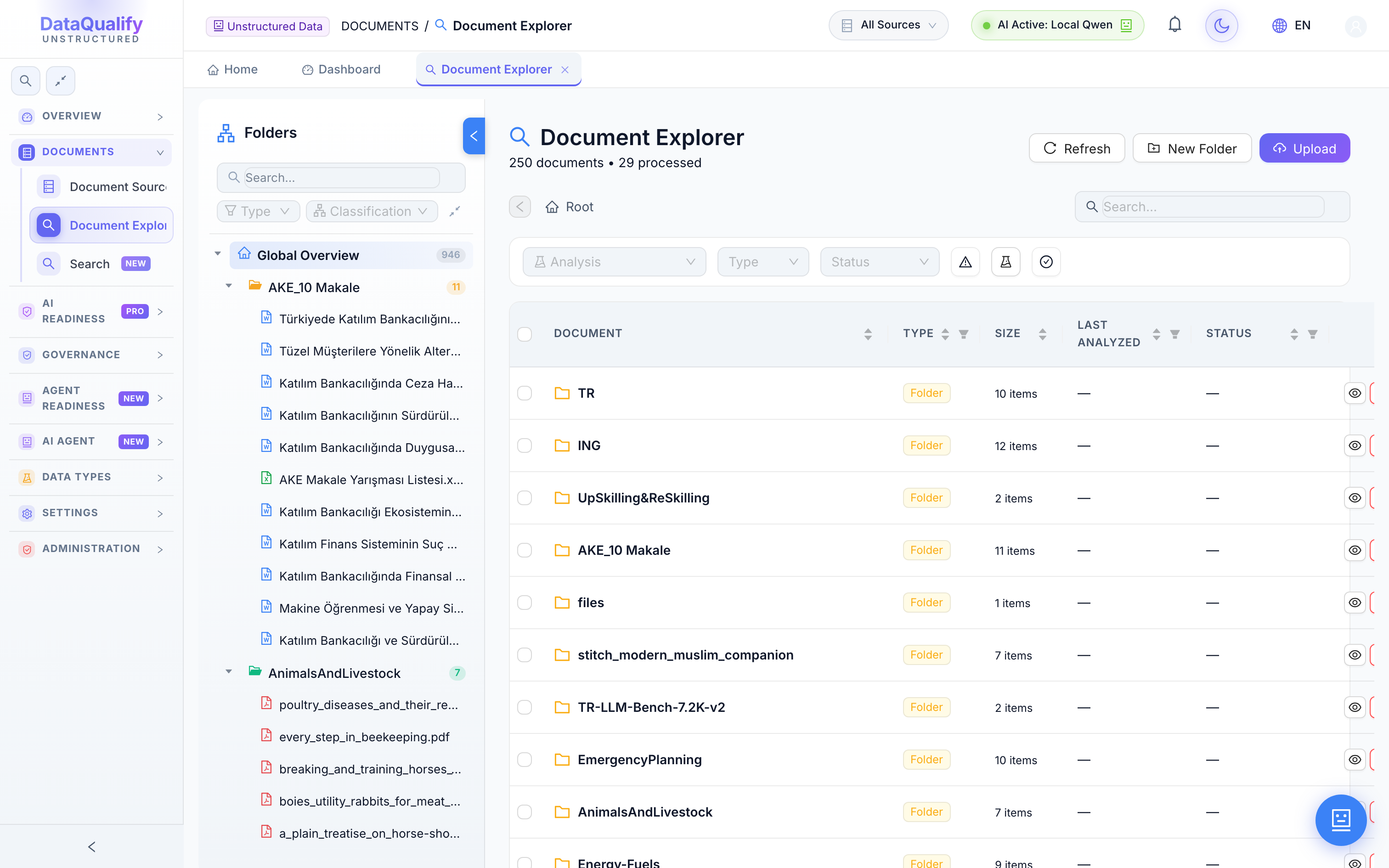
Document Explorer
Browse and tree-navigate every ingested document, with inline preview for PDF, DOCX, PPTX, XLSX and Markdown right in the browser.
- ✓Folder tree navigation
- ✓Inline multi-format preview
- ✓Filter by type & classification
Global Search
Search the entire corpus in one box — across document content and metadata — and jump straight to the source file.
- ✓Full-corpus content search
- ✓Metadata-aware results
- ✓Instant jump to document
AI Readiness
PRO4 modulesThe core of the platform: score every document for how ready it is to feed a model, then drill into chunks, issues and corpus-wide patterns.
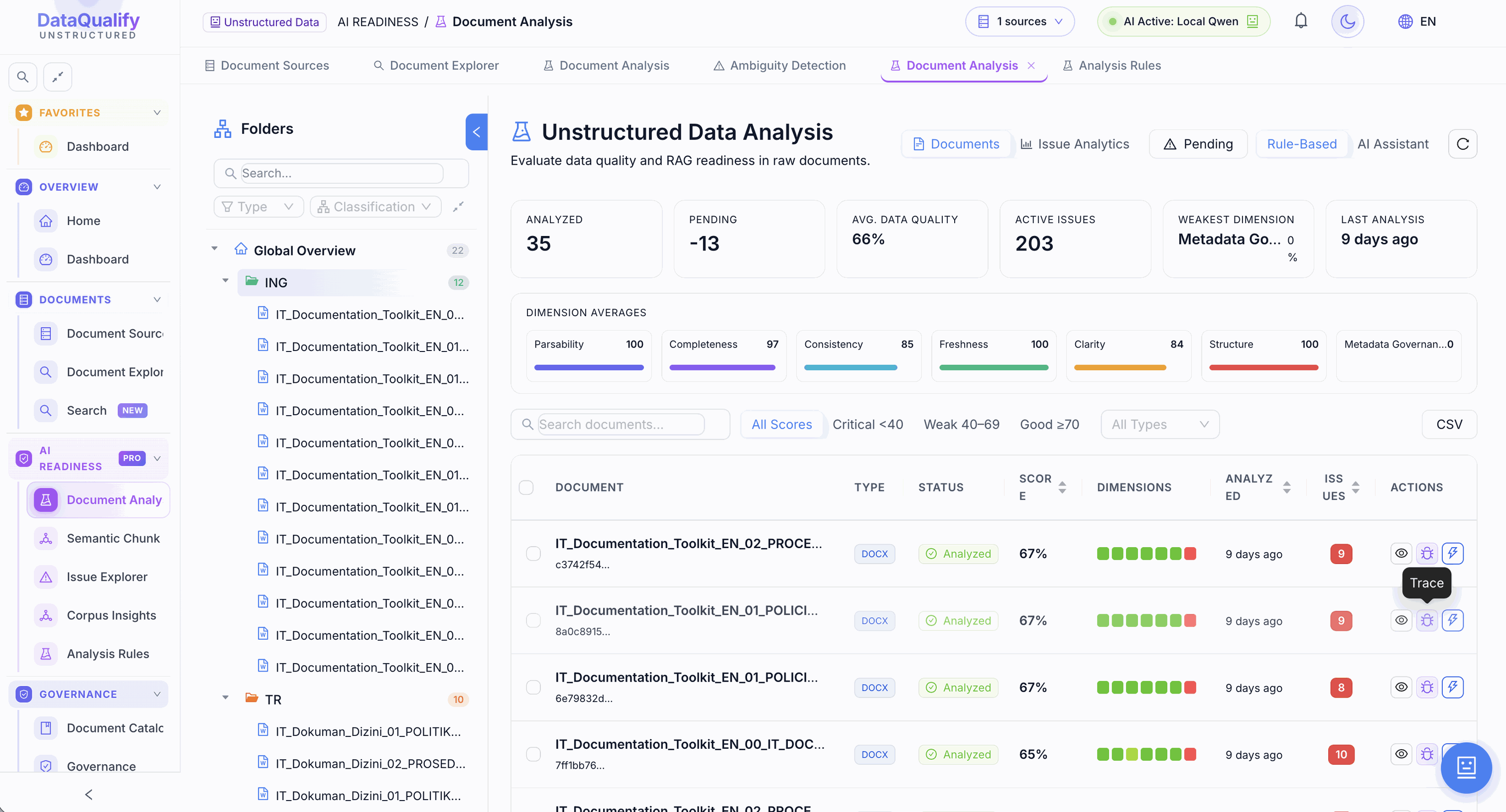
Document Analysis
Per-document readiness scoring across seven dimensions — parsability, completeness, consistency, freshness, clarity, structure and metadata — with a full drill-down report per file.
- ✓Seven-dimension scoring
- ✓Rule-based or AI-assisted
- ✓Detailed per-document report
Semantic Explorer
Inspect how a document is chunked and embedded. Explore its semantic structure to understand exactly what a retrieval system will see.
- ✓Chunk & embedding view
- ✓Semantic structure map
- ✓Per-document deep dive
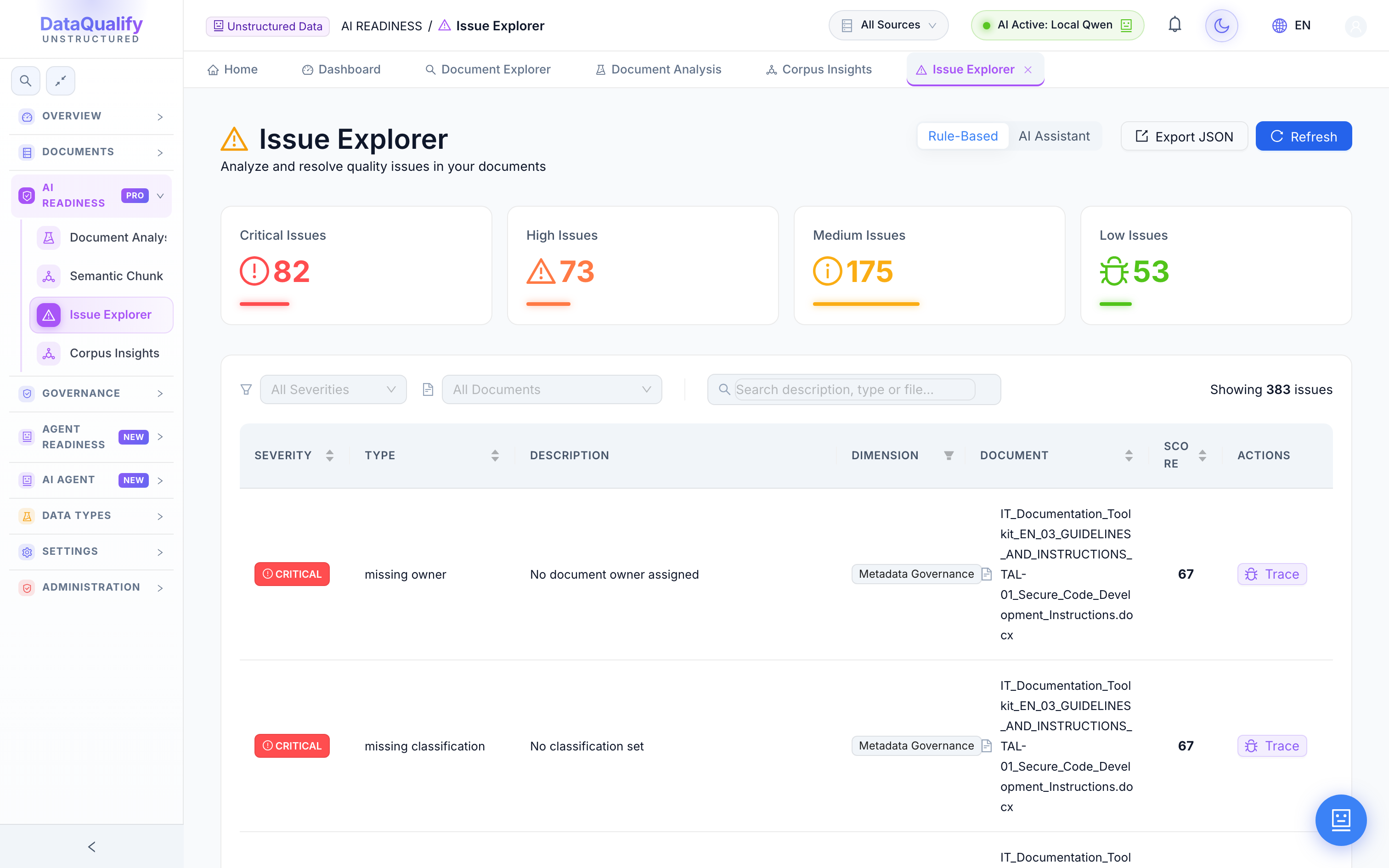
Issue Explorer
Every readiness issue found across the corpus in one aggregated view, filterable by type and severity so you fix the highest-impact problems first.
- ✓Aggregated issue list
- ✓Filter by type & severity
- ✓Prioritized remediation
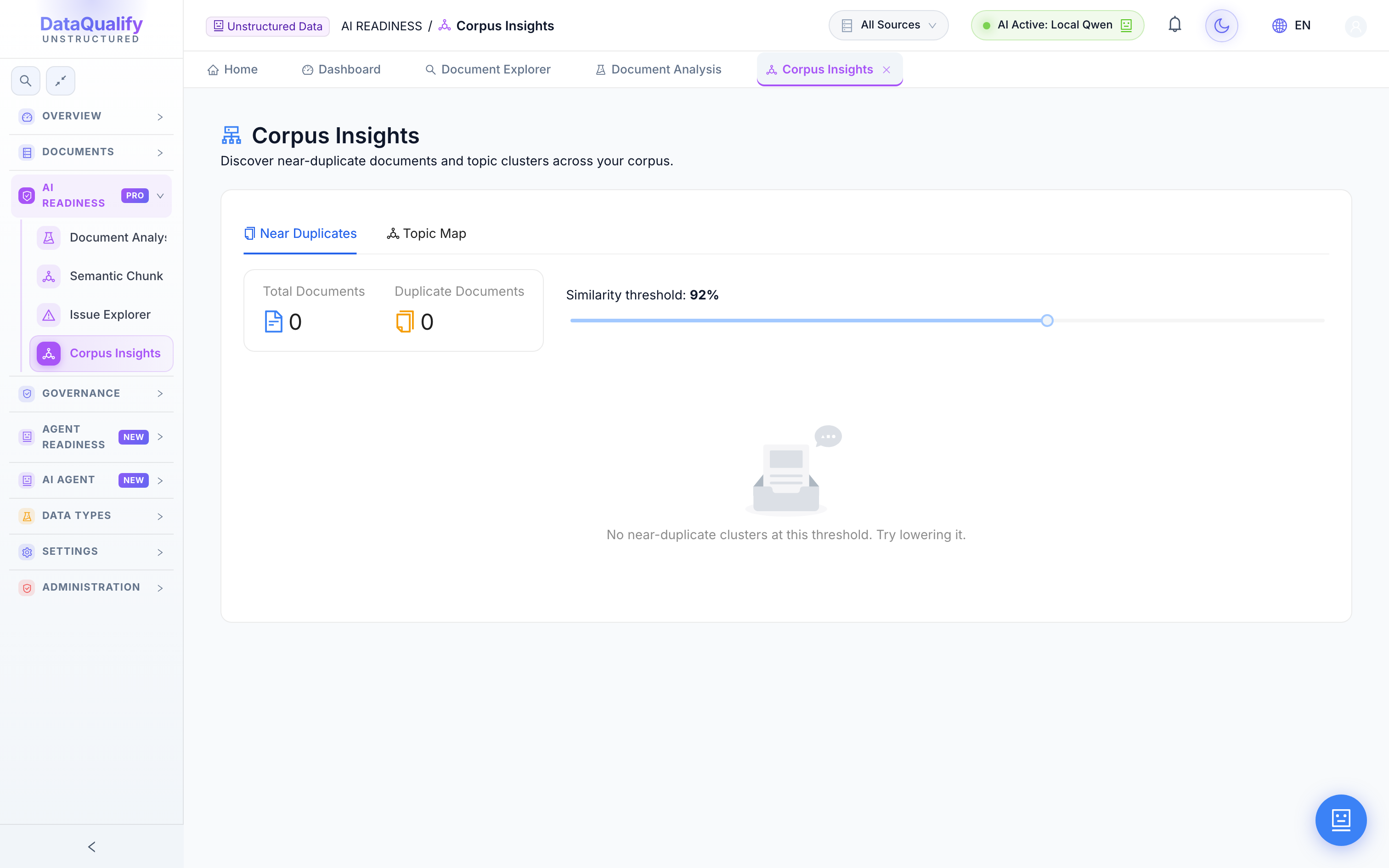
Corpus Insights
Corpus-wide analytics that reveal readiness patterns across all documents — where quality clusters, which folders lag, how readiness trends over time.
- ✓Corpus-wide analytics
- ✓Readiness pattern clusters
- ✓Trends over time
Governance
6 modulesProve ownership, catch contradictions and keep a full history. Everything you need to trust — and defend — the documents feeding your AI.
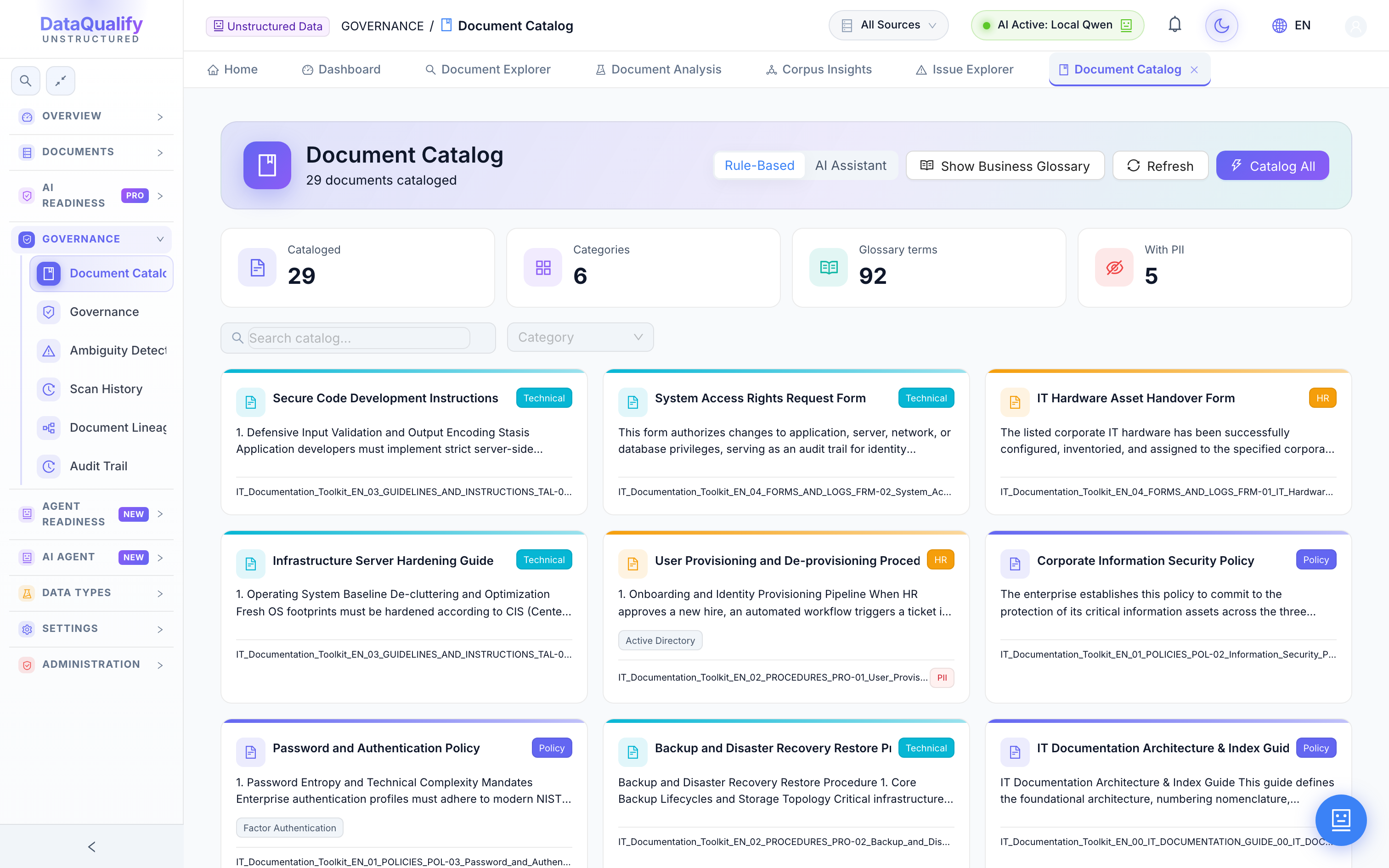
Document Catalog
A governed catalog of every document with ownership, classification and metadata coverage tracked and enforced.
- ✓Ownership & stewardship
- ✓Classification labels
- ✓Metadata coverage tracking
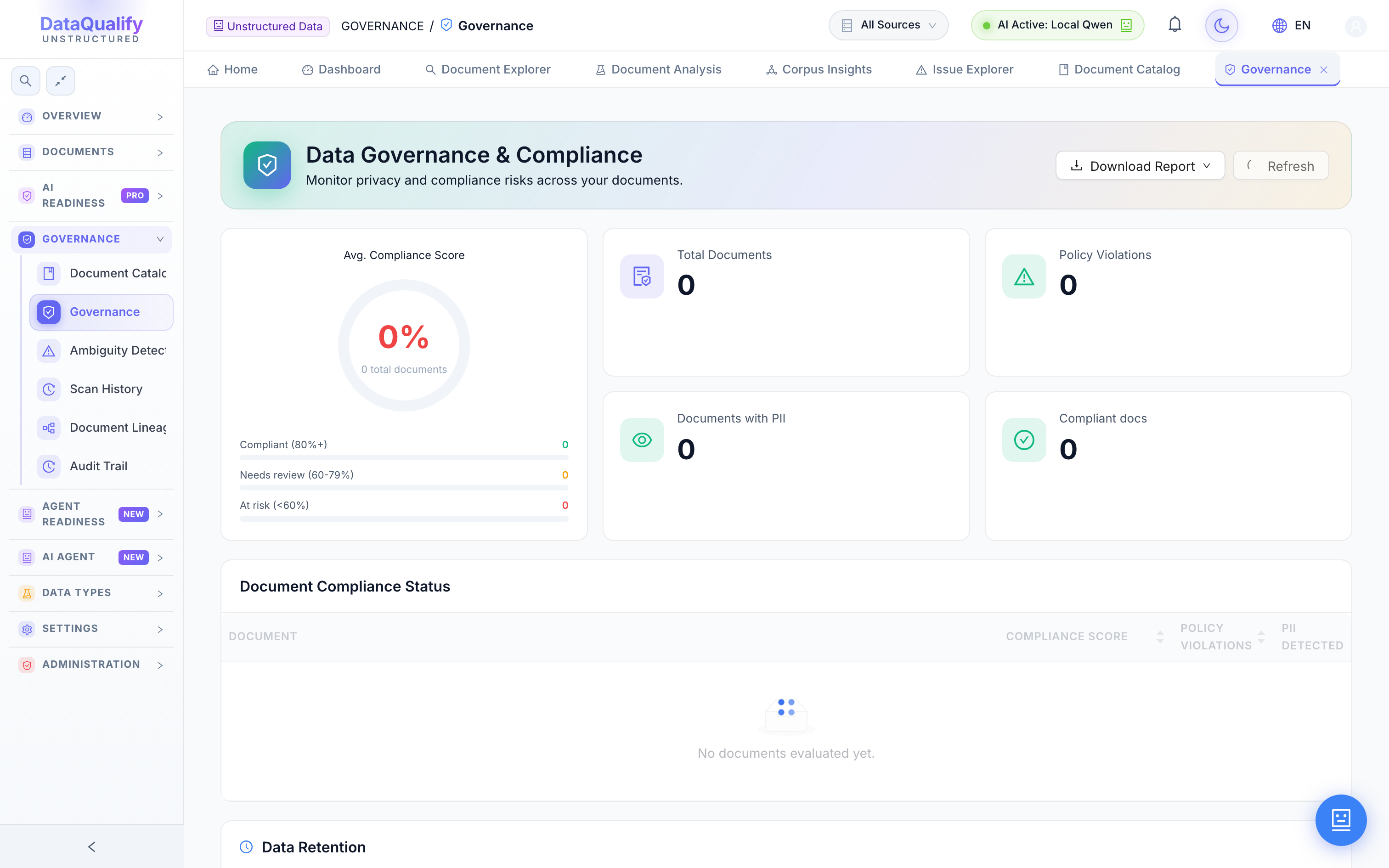
Governance Dashboard
Your metadata governance posture at a glance — ownership gaps, versioning status and classification completeness across the corpus.
- ✓Ownership gap detection
- ✓Versioning status
- ✓Classification completeness
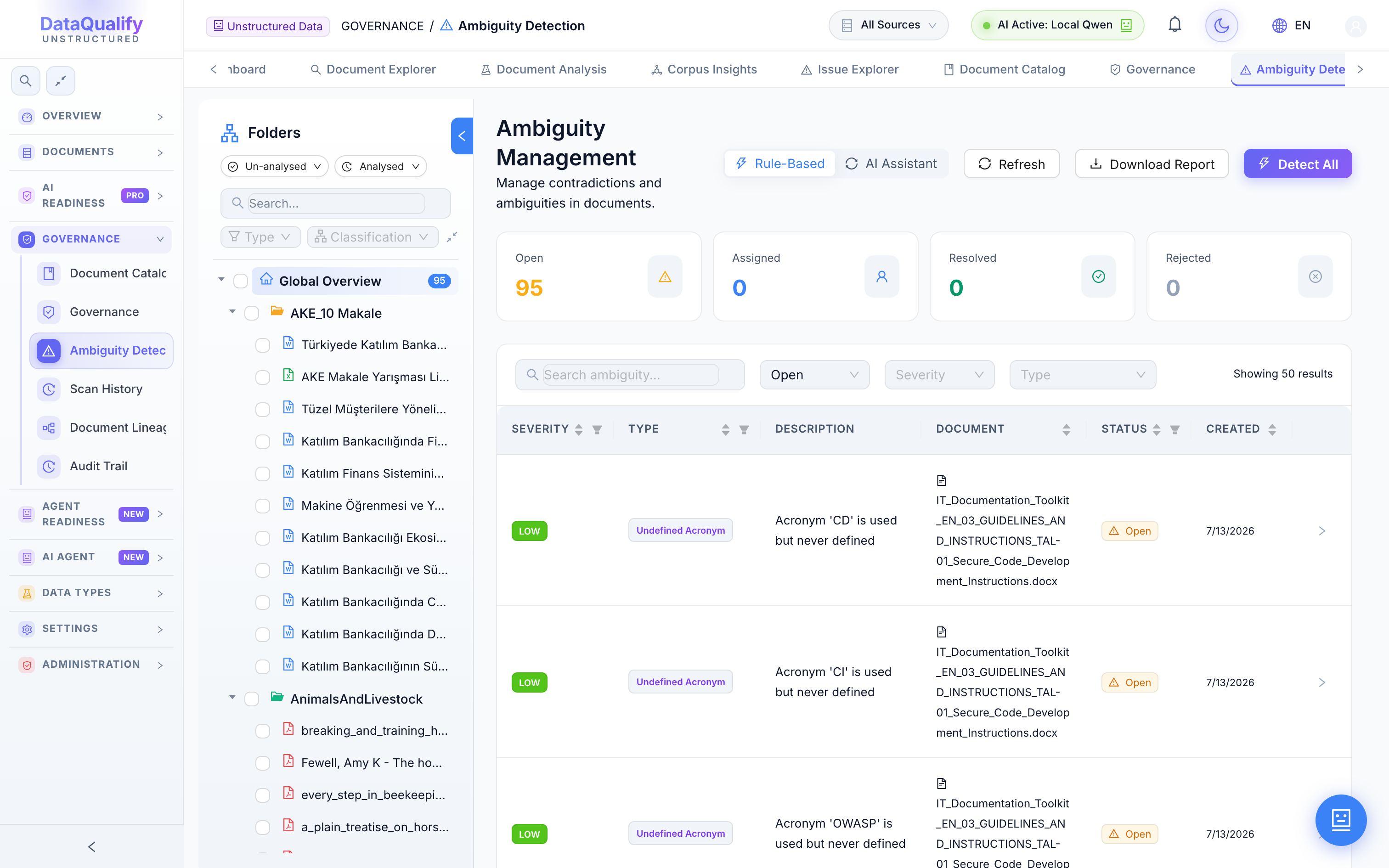
Ambiguity Detection
Automatically detects ambiguities, contradictions and stale or conflicting statements across documents before they mislead a model.
- ✓Contradiction detection
- ✓Stale-content flags
- ✓Cross-document conflicts
Scan History
A complete history of ambiguity scan runs, with results and diffs so you can see what changed between scans.
- ✓Every scan run logged
- ✓Result comparison
- ✓Re-run on demand
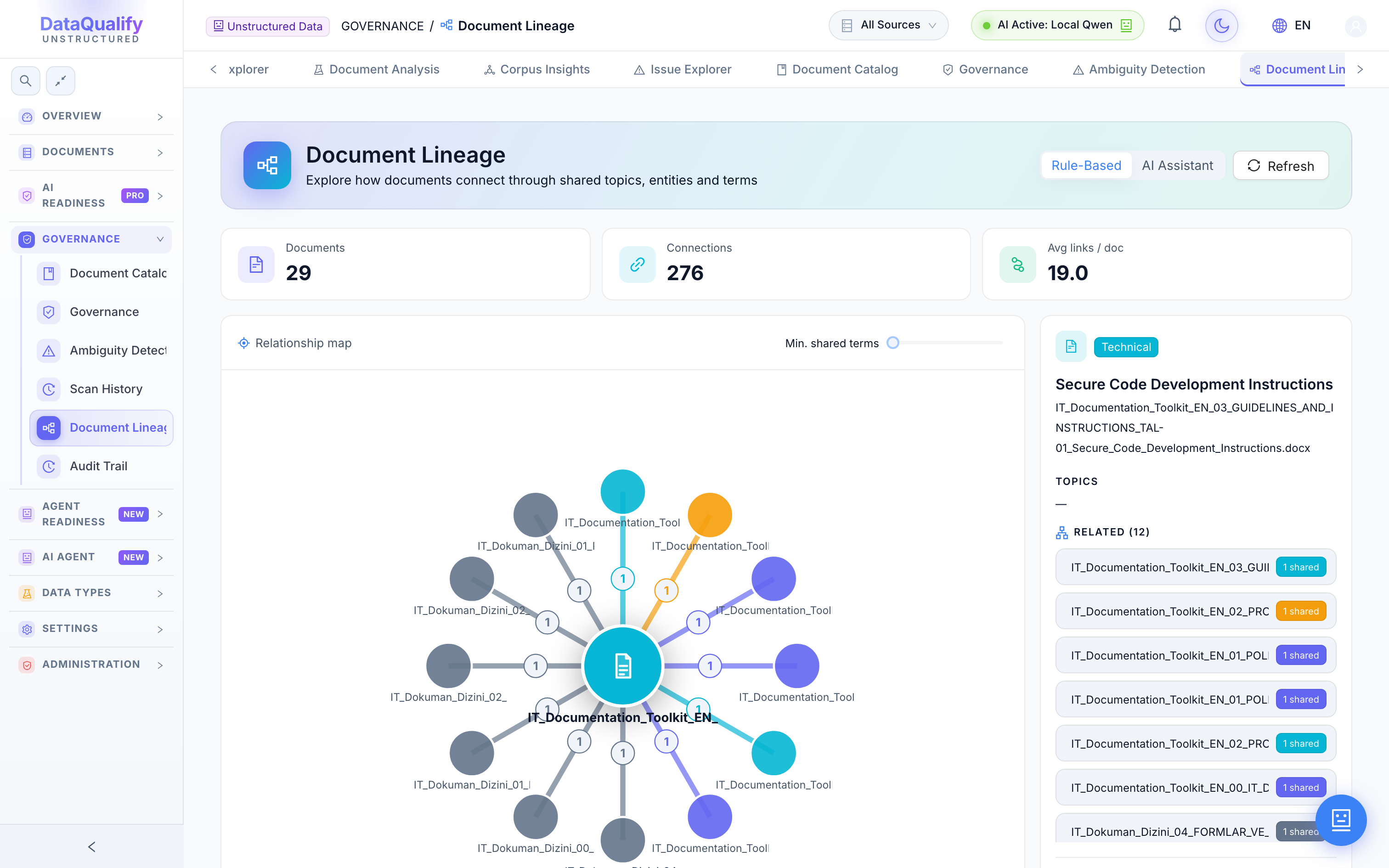
Document Lineage
Visualize relationships, versions and derivation lineage across the corpus — see which documents descend from which, and what changed.
- ✓Version & relationship graph
- ✓Derivation lineage
- ✓Impact tracing
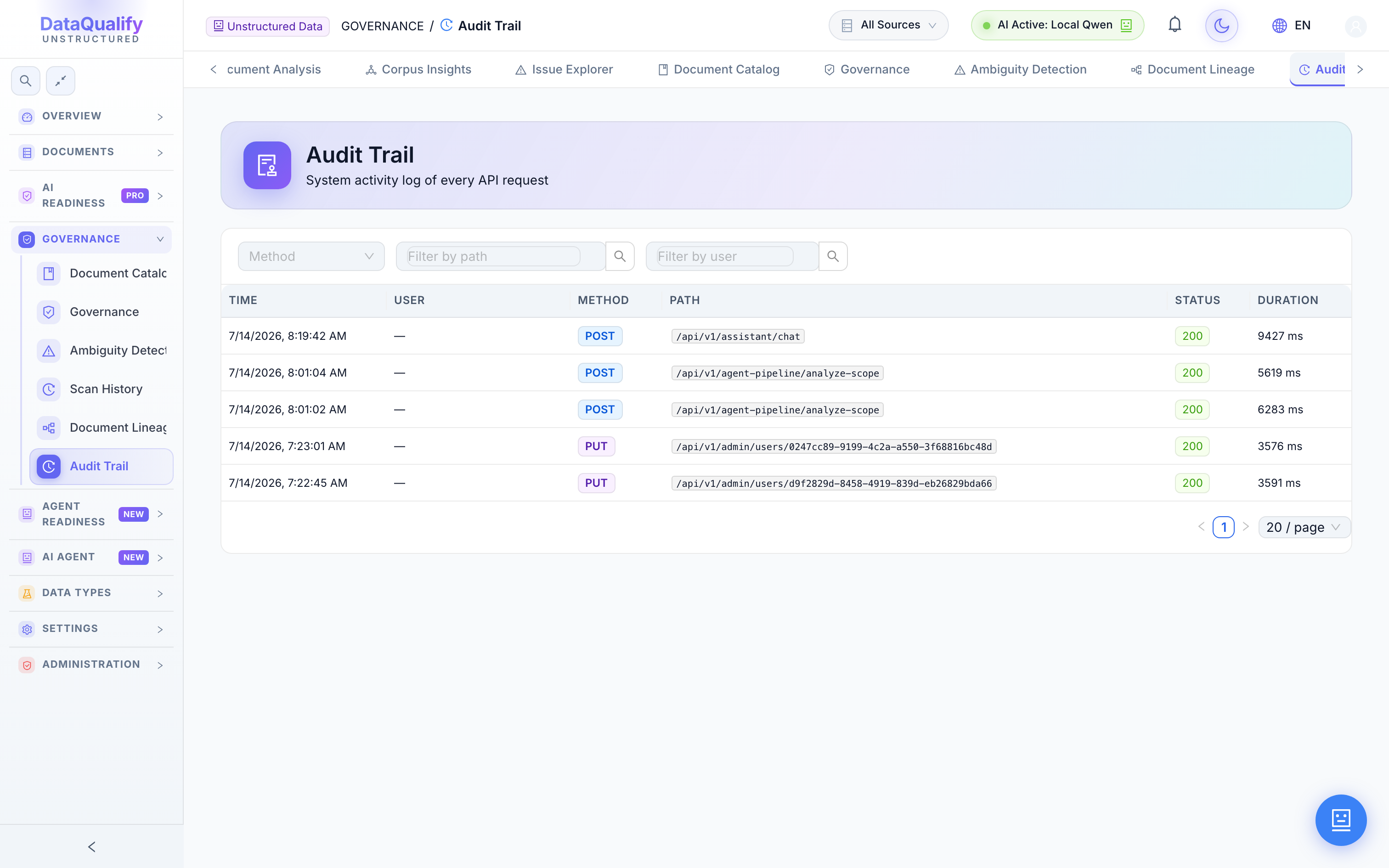
Audit Trail
A chronological, tamper-evident log of every action and change across the platform, ready for compliance review.
- ✓Every action logged
- ✓User & timestamp
- ✓Compliance-ready export
Agent Readiness
NEW2 modulesBeyond RAG: measure whether documents are reliable enough for autonomous agents to act on, and test retrieval live before you ship.
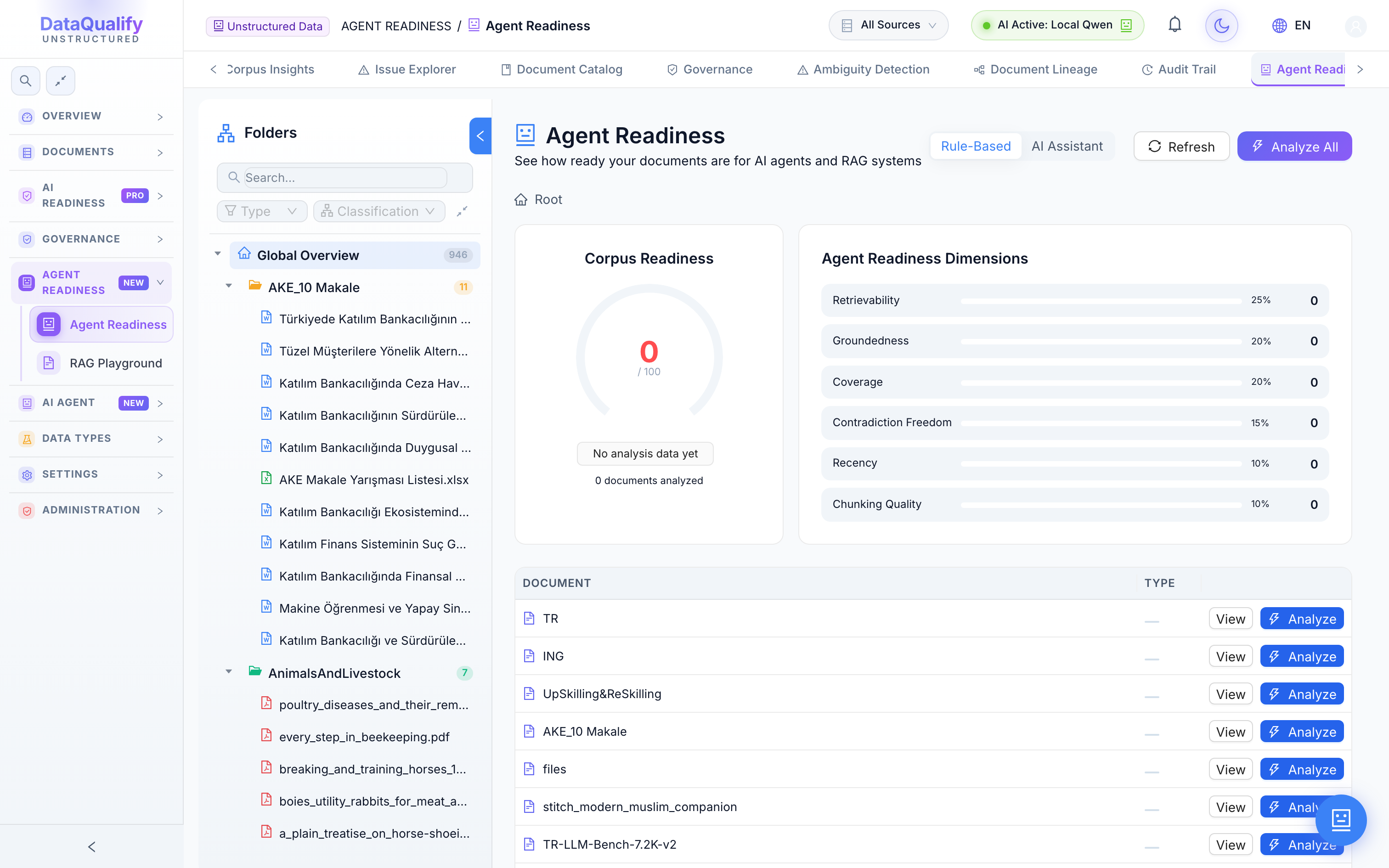
Agent Readiness
Scores whether documents are trustworthy and unambiguous enough for autonomous AI agents to consume and act on without a human in the loop.
- ✓Agent-trust scoring
- ✓Reliability thresholds
- ✓Blocks risky documents
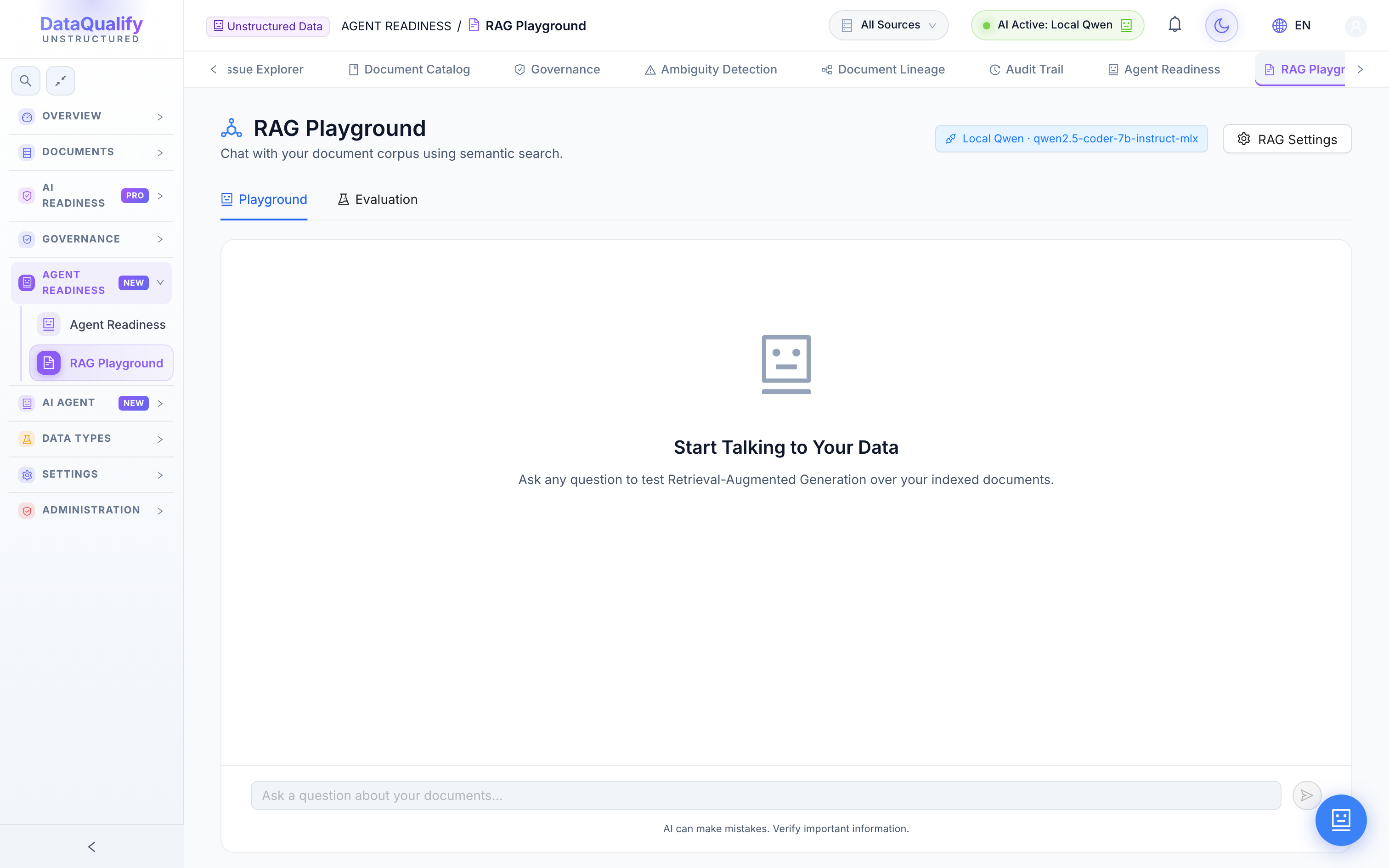
RAG Playground
An interactive retrieval-augmented-generation testbed. Ask questions over your corpus, inspect the retrieved chunks and evaluate answer quality.
- ✓Chat over your corpus
- ✓Inspect retrieved sources
- ✓Answer evaluation mode
AI Agent
NEW4 modulesPut the platform on autopilot. Compose multi-step agents that parse, score and remediate documents on their own — and watch every run.
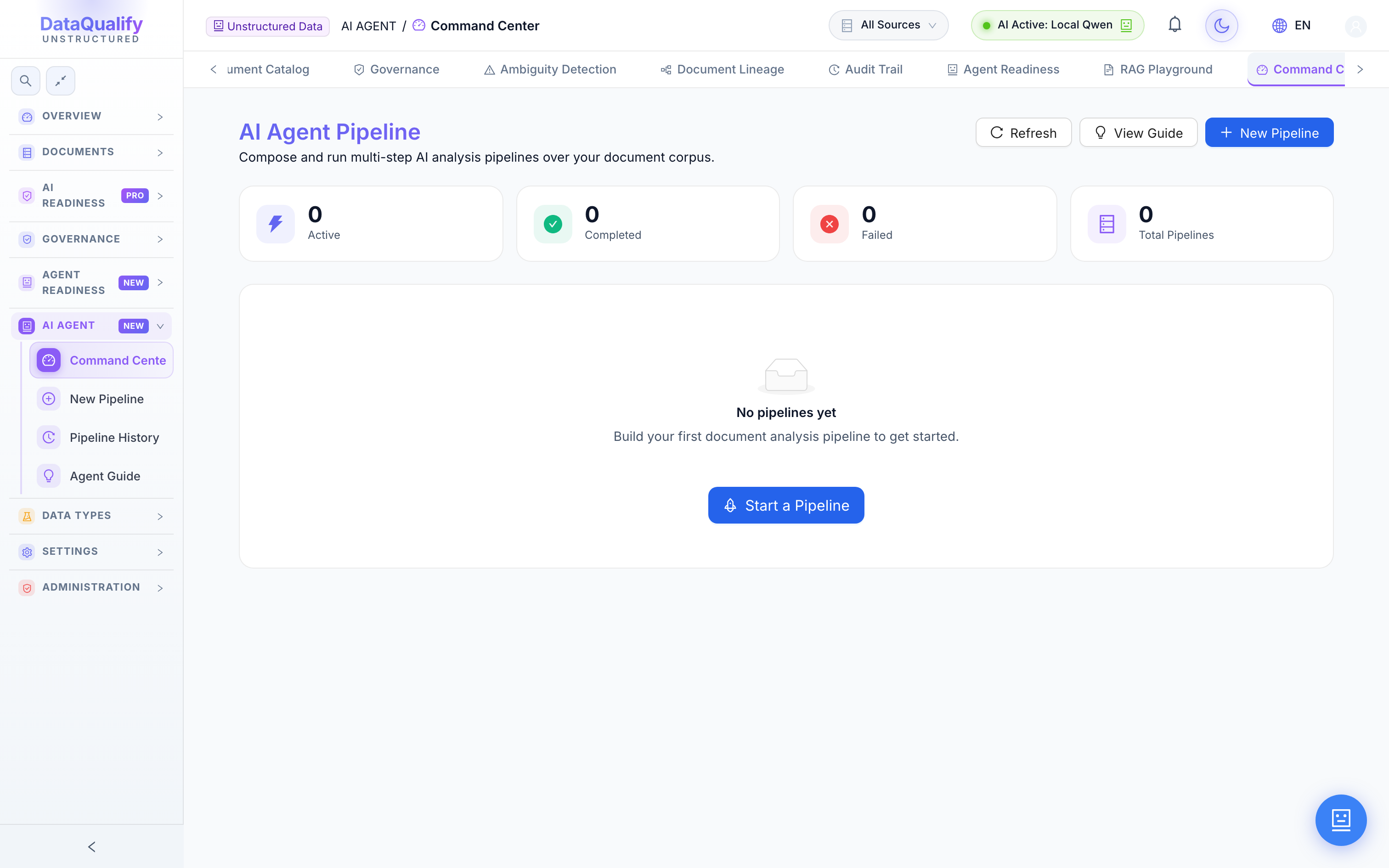
Command Center
The operational hub for agentic document pipelines. Launch runs, monitor progress and review results step by step in real time.
- ✓Launch & monitor pipelines
- ✓Real-time run status
- ✓Step-by-step results
Agent Builder
A visual, drag-and-drop step builder to compose custom multi-step agent pipelines from parsing, scoring and remediation blocks.
- ✓Drag-and-drop steps
- ✓Reusable pipeline templates
- ✓Branch & condition logic
Pipeline History
Every past pipeline run with status, duration and results, so you can audit, compare and re-run.
- ✓Full run history
- ✓Status & duration
- ✓One-click re-run
Agent Guide
Guided onboarding that explains what agents can do and walks you through building your first pipeline.
- ✓Capability overview
- ✓Step-by-step onboarding
- ✓Best-practice recipes
Data Types
1 moduleReal documents are messy mixes of text, tables and images. This suite handles all of it in a single, coherent pass.
Multi-Type Analysis
Analyze mixed-content documents — text, tables, images and spreadsheets — in one pass, with each modality scored appropriately.
- ✓Text, tables, images, sheets
- ✓Per-modality scoring
- ✓Single unified report
Settings
6 modulesTune every knob: the rules that score documents, the prompts and LLMs behind the AI, and the integrations that push data out.
Analysis Rules
Configure the rule engine that drives readiness and quality checks — thresholds, weights and which dimensions matter for your use case.
- ✓Custom rule thresholds
- ✓Dimension weighting
- ✓Enable / disable checks
Prompt Settings
Manage the LLM prompts used by every analyzer, with versioning so you can tune quality without touching code.
- ✓Per-analyzer prompts
- ✓Prompt versioning
- ✓Test before applying
LLM Settings
Configure LLM providers — Ollama, OpenAI, Gemini, OpenRouter, LM Studio and local models — and set defaults per task.
- ✓Cloud & local providers
- ✓Per-task model choice
- ✓Local / air-gapped option
Webhooks
Push platform events to your own systems with outbound webhook integrations.
- ✓Event-driven webhooks
- ✓Custom endpoints
- ✓Delivery retries
API Keys
Create and manage programmatic API keys to drive the platform from your own pipelines and tools.
- ✓Scoped API keys
- ✓Rotate & revoke
- ✓Programmatic access
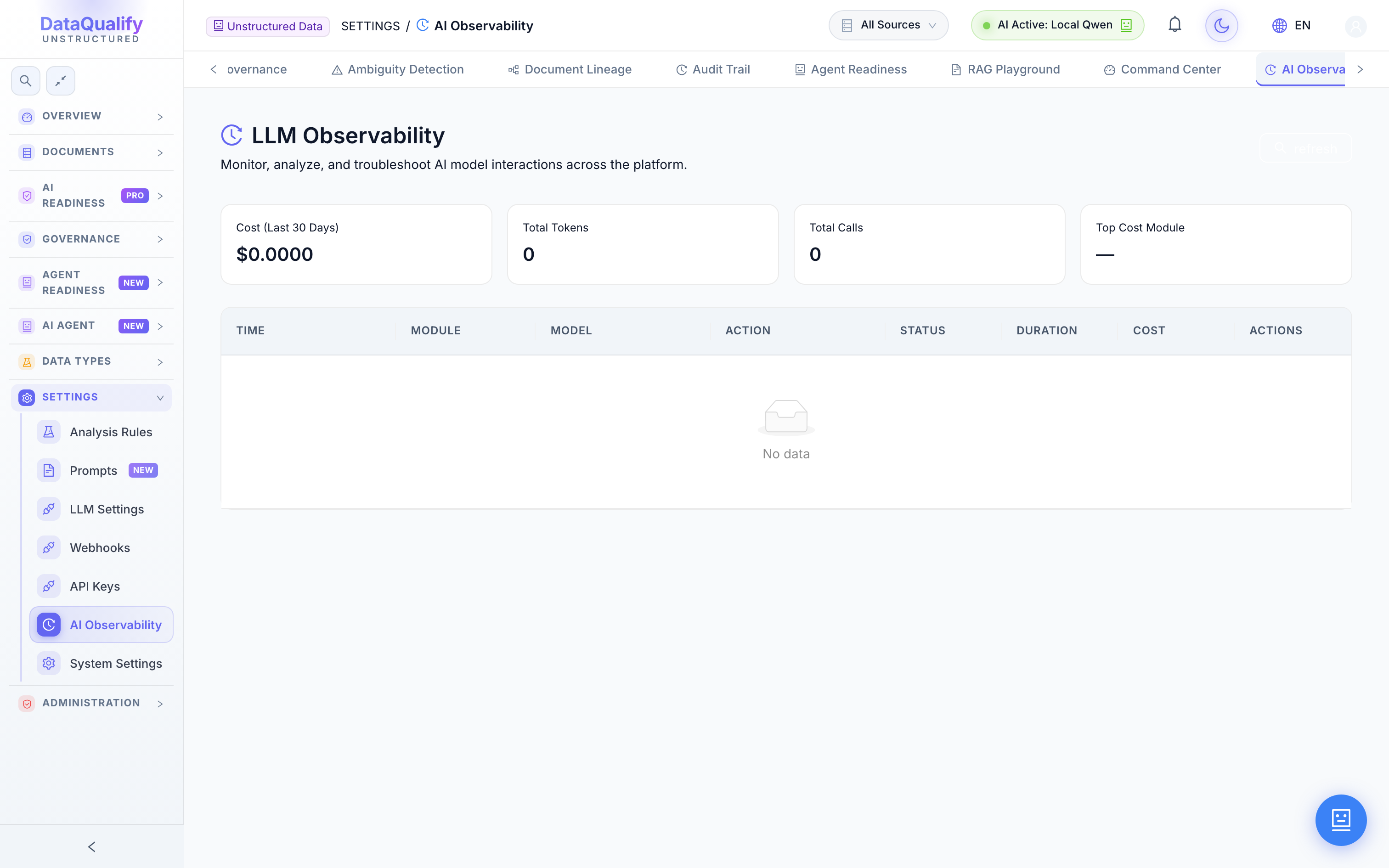
AI Observability
Full visibility into LLM and rule executions — token usage, latency and per-document rule and AI observability.
- ✓Token & cost tracking
- ✓Latency metrics
- ✓Per-document traces
Administration
3 modulesEnterprise access control — request-and-approve permissions, users and a full role matrix, shared with DataQualify.
Access Requests
A request-and-approve workflow: users ask for access to sources or modules, and admins grant it with a full trail.
- ✓Self-service requests
- ✓Approval workflow
- ✓Audited grants
Users
Manage users across the platform — shared with DataQualify so one identity works across both products.
- ✓Shared user directory
- ✓SSO-ready identities
- ✓Activity overview
Roles
Define roles and a fine-grained permission matrix, mapping exactly what each role can see and do.
- ✓Role definitions
- ✓Permission matrix
- ✓Least-privilege by default